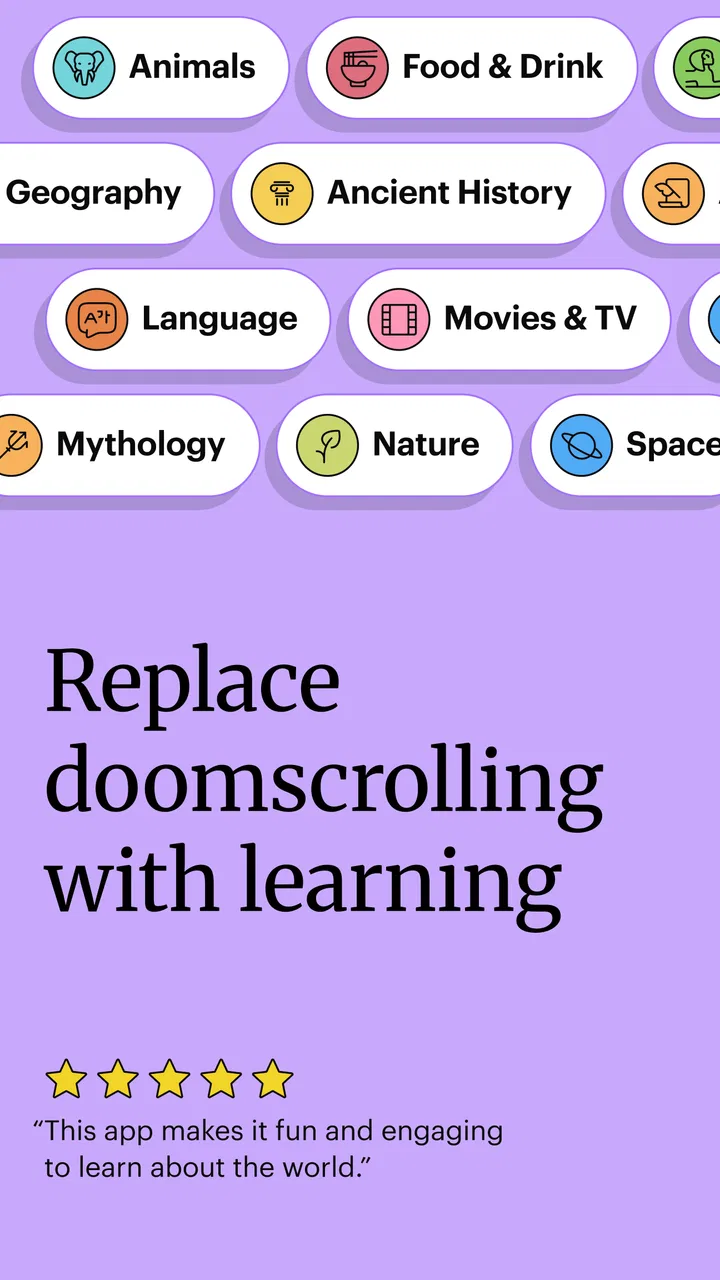
Spark: Daily Learning Puzzles
- 4.5
- Rating
- 100.00K
- Installs
- Free
- Price

 Analysis by App-foxy
I found Spark: Daily Learning Puzzles most interesting when I stopped treating it like a conventional study tool. It is a free education app from The Mind Company that turns short puzzle sessions into a way of learning something new without asking me to sit through a full lesson. That sounds simple, but the difference matters: the app is better suited to a spare moment and a curious mind than to anyone looking for a complete course, textbook replacement, or formal revision plan.
My first impression was that its appeal comes from the small commitment. I can open it when I have a few minutes, work through a puzzle, and leave without feeling that I have abandoned a long study session. The store summary describes the idea as learning one puzzle at a time, and that is a fair description of the experience. The short store description is simply “Spark,” which also captures the app’s role better than a promise of mastery would: it is meant to start curiosity, not finish an academic subject.
The app currently carries a 4.5 average from around 2.8 thousand ratings, with over 100 thousand installs. Those figures suggest that the format has found an audience, but they do not change the most important question: does this style of learning fit the way you actually use your phone? In my view, it can be a pleasant daily habit, provided you accept that a puzzle-based app offers small discoveries rather than a carefully sequenced curriculum.
You May Also Like

 Blood Strike: 2.5 Anniversary
Blood Strike’s Loadouts Turn Every Drop Into a Tactical Gamble
A close look at Blood Strike’s custom loadouts: how fast access to signature weapons reshapes its battle royale rhythm, rewards preparation, and narrows the gap between fights.

 Pandora - Music & Podcasts
Pandora’s Music Is Easy to Start, but Harder to Recover
Pandora’s strength is its low-effort path from a seed to a station. Its weak spot is how much confidence it asks you to place in connection, setup, and quiet recovery.

 8 Ball Pool
 Is Built on Rivalries, Rematches, and Routine
A close look at the rivalries, rematches, shared routines, and unanswered safety questions that turn a quick pool match into a persistent mobile community.

 Samsung Music
’s Quiet Strength Is Playing What You Already Own
Its reach comes less from spectacle than from dependable access to a personal library. That simplicity is both the app’s strongest retention engine and its ceiling.

 AccuWeather: Weather Radar
AccuWeather Review: A Quick, Clear Forecast for Everyday Decisions
For everyday plans, the best forecast is the one you can understand quickly. AccuWeather makes rain timing, radar, and local conditions easy to act on, with a few trade-offs.

 Hill Climb Racing
Why Hill Climb Racing Still Turns Crashes Into One More Run
A tiny car, a bumpy hill and one more upgrade: Hill Climb Racing keeps resurfacing because its simple chaos makes every near-miss feel personal.
More From Our News Desk



Where the experience can become confusing
When I’m unsure what a puzzle is asking, I find it helps to pause before choosing and separate the wording from the subject matter: first identify the task, then think through the idea. This section looks at why that distinction matters in a short, puzzle-led format, where a quick answer can hide a misunderstanding. It also sets up a few simple checks to try before treating a confusing moment as an app problem.
The first session needs the right expectations
The biggest source of friction is not necessarily technical. It is expecting Spark to behave like a language course, flashcard system, or lecture app. Those products usually make their structure obvious: choose a subject, follow a lesson, review mistakes, and measure progress. A daily puzzle app has a lighter rhythm. Its value is in the individual challenge and the thought that follows it, so users who want a visible syllabus may initially wonder what they are supposed to do next.
I recommend opening it with a narrow goal. Do not begin by asking whether it can teach you everything about a topic. Instead, ask whether one short puzzle can make you think differently, introduce a useful fact, or give you a reason to investigate further. That mindset makes the experience feel purposeful rather than incomplete.
Another common sticking point is the temptation to rush. Because each activity is compact, it is easy to tap through an answer and move on. I got more from the app when I paused before committing, considered why an option seemed right, and treated an incorrect answer as part of the learning rather than as a score to hide. The puzzle is not just a gate between screens; the reasoning is the useful part.
Why a wrong answer can feel more valuable than a quick win
Short educational puzzles work best when they expose a gap in what I thought I knew. If every question is answered instantly, the app may feel entertaining but not especially memorable. When I missed something, I found it more useful to restate the idea in my own words before closing the session. That tiny habit turns a passing answer into a mental note.
This is one of the app’s less obvious trade-offs. Its low time commitment makes it easy to maintain, but it also makes it easy to consume passively. A longer lesson forces attention through its structure. Spark depends more on the user choosing to reflect. For someone who enjoys independent discovery, that freedom is a strength. For someone who needs a teacher-like sequence, it can feel too loose.
A realistic everyday use case
I would use it during a predictable pause rather than as a replacement for planned study. For example, after breakfast I could complete a puzzle before checking messages, then write down one idea that was new to me. On a busy day, that is enough. On a quieter day, I could use the puzzle as a starting point for a few minutes of reading elsewhere. The app works particularly well in that second role: it provides a prompt, while deeper learning happens through follow-up effort.
That workflow also prevents a common disappointment. If you expect every session to produce a complete, practical skill, the format may seem thin. If you use each session as a small intellectual exercise, it becomes easier to appreciate. I would not recommend measuring its success only by how many puzzles you finish. A better test is whether you remember an idea later or feel motivated to explore it further.
Setup checks before blaming the app
Before changing settings or reinstalling, I’d check whether the difficulty follows the app or the device: try another app, confirm the operating system meets the minimum, and see whether the same issue persists after reopening Spark. Those small comparisons can save time and avoid disturbing a routine unnecessarily. The next section turns to what I’d do when the app itself works but a session has been broken up by ordinary interruptions.
Start with the basic compatibility check
Spark is listed for devices running operating system version 10 or later. Before troubleshooting anything complicated, I would check the phone or tablet’s system version and available storage, then restart the device if the installation or first launch behaves strangely. A device that is below the minimum requirement can create problems that no in-app setting will solve.
The app is free to install, which makes trying it low-risk, but it includes optional in-app purchases ranging from around three dollars to around eighty dollars per item. I would pay attention during setup and use the app only in the way that matches my budget. A free download should not be confused with every part of the experience being free, especially if the device is shared with a child.
The content rating is Everyone, so the app is positioned for a broad audience. That does not mean it will suit every learning level. A child, teenager, and adult can all open the same puzzle, yet their expectations and ability to interpret explanations may be very different. I would treat the age label as a suitability guide, not as a promise that the material will match a particular school year or professional goal.
What to check when loading or progress feels unusual
If a puzzle refuses to load, I would first close and reopen the app, confirm that the device has a stable connection, and try again later rather than repeatedly tapping the same control. If the problem appears only once, it may be a temporary interruption. If it happens consistently, I would update the app through the normal store process and restart the device before considering a reinstall.
Reinstalling should be a last step for any app where progress might matter. Before doing it, I would make sure I understand what could be lost and whether the app offers a way to retain progress through the device or account. I would not assume that deleting an app is harmless simply because the app is small or free. That is especially important if Spark has become part of a daily routine.
It is also worth separating a display problem from a learning problem. If text is difficult to read, I would adjust the device’s brightness and accessibility settings before deciding that the puzzle itself is poorly designed. If taps seem delayed, I would test another app to see whether the phone is generally responding slowly. These checks are basic, but they prevent a great deal of unnecessary frustration.
Handling purchases carefully
The purchase range is wide enough that I would not make an accidental tap casually. On a shared phone, I would review the device’s purchase authentication and make sure the person using it understands which actions may open a payment screen. I would also avoid judging the app unfairly if I had not checked whether I was using its free portion or looking at an optional paid item.
My practical advice is to explore the free experience first and decide whether the puzzle format itself works for you. Paying for additional access only makes sense after you know that you enjoy the app’s pace and style. If you prefer structured courses, a subscription learning platform or a subject-specific app may offer clearer value, even if it is less playful.
Recovering a useful workflow after an interrupted session
When a session gets interrupted, I don’t try to reconstruct every thought I had before putting the phone down. I return to the question, read it afresh, and keep only one useful idea to revisit later; that makes it easier to resume without turning a brief activity into a chore. The section that follows considers how this kind of flexible recovery fits different learners, and when a more structured tool is a better match.
When you lose momentum
Daily learning apps can lose their appeal after a missed day. I would not try to compensate by turning the next session into a marathon. The better recovery is to open the app, complete the next puzzle calmly, and continue from there. The format is built around manageable moments, so making the routine heavy defeats its main advantage.
If I am distracted, I use a simple three-step approach: read the question twice, identify what it is actually asking, and only then choose an answer. Afterward, I note one phrase or concept that deserves a second look. This takes little extra time but makes the session feel less like random tapping. It is also helpful when the puzzle touches a subject I do not normally study.
Turning a puzzle into a personal study loop
One of the strongest ways to use Spark is to create a boundary around it. I would let the app provide the question, but keep a separate note for ideas worth revisiting. The note might contain a definition, a surprising distinction, or a question I still cannot answer. At the end of the week, I could review those notes and see which topics genuinely held my attention.
This approach reveals a useful trade-off. Spark can act as a discovery engine, but it is not automatically a complete retention system. If remembering information matters, I need to add my own review step. A flashcard app is better for deliberate repetition, while Spark is better at giving me varied prompts that may reveal what I want to learn next.
I would also avoid using the app while multitasking heavily. A puzzle may be short, but answering while walking, watching television, or switching between messages reduces the thinking that makes it worthwhile. One focused minute can be more valuable than several distracted sessions. That is a small but important distinction between using the app as education and using it as filler.
When the app is not the cause
Sometimes the real obstacle is the surrounding routine. If I open Spark only when exhausted, I may conclude that the app is boring when the problem is timing. If I expect it to replace a textbook, the format will feel shallow even when the puzzles are doing exactly what they are designed to do. If I need exam preparation, the issue is not a failed session; it is a mismatch between the tool and the goal.
For connection problems, I would compare the app’s behavior on another reliable network and test other services on the same device. For battery or performance complaints, I would check whether several apps are affected. For content that feels too easy or too difficult, I would first reconsider the intended use: Spark is a broad education app for bite-sized discovery, not a personalized tutor with a guaranteed level progression.
These distinctions matter because they lead to different solutions. Restarting may help a frozen screen, but it will not create a missing curriculum. Changing the time of day may restore attention, but it will not turn a casual puzzle into professional certification. I appreciate the app more when I judge it against the job it can realistically perform.
Who should use it and who should choose something else
I think the best choice depends less on whether someone enjoys puzzles in general and more on what they need learning time to accomplish. A curious person looking for a small prompt may get real use from this format, while someone preparing for an exam or building a defined skill will likely benefit more from a sequenced course or deliberate review system. The final section weighs those different expectations and offers a practical way to decide whether to keep Spark in your routine.
A good fit for curious, time-poor learners
I would recommend Spark to people who like learning in small pieces and enjoy being surprised by a question. It is a good companion for a morning routine, a quiet break, or the few minutes before bed when a full course feels like too much effort. Parents may also find the Everyone rating reassuring as a starting point for shared exploration, although I would still look at the actual material with a younger user and talk through unfamiliar ideas.
It may also suit adults who have stopped learning because they believe they need a large block of free time. The app lowers that barrier. Completing one puzzle does not require rearranging the whole day, and the experience can help rebuild a habit of paying attention. That is a modest benefit, but in practice it can be more sustainable than downloading an ambitious course and abandoning it after the first long lesson.
Cases where another category wins
I would skip Spark if my main goal were systematic exam revision, job training, language fluency, or a measurable sequence of lessons. In those situations, I would choose a platform with a defined syllabus, targeted exercises, progress controls, and a review method built around the subject. A flashcard app is a better choice when repetition is the priority. A reference app or long-form course is better when I need depth rather than variety.
I would also be cautious if I dislike open-ended discovery. Some people want every session to connect clearly to the last one. Spark’s puzzle-first approach may feel scattered to them, even if each individual activity is enjoyable. The app is not a substitute for a teacher, a textbook, or a serious study plan. Its role is smaller and more approachable: it gives learning a regular place in the day.
What the current release means for trying it now
The current version is 1.41.0, and the app was released on November 12, 2025. Those details make it a relatively recent option to evaluate, but I would still judge it through actual use rather than assuming that a newer release solves every personal need. Updates can improve stability or presentation, yet no update can remove the fundamental trade-off between bite-sized puzzles and structured instruction.
The developer, The Mind Company, has positioned Spark in the education space rather than as a conventional game. I think that distinction is useful. The puzzles provide the hook, but the best results come when I approach them with enough attention to understand the idea behind the answer. If I only want entertainment, a dedicated puzzle game may offer deeper challenge. If I want gentle intellectual stimulation with an educational purpose, this app makes more sense.
My practical verdict after using the puzzle-based format
Spark: Daily Learning Puzzles is worth trying if you want a free, low-pressure way to make curiosity part of your routine. I like its central idea because it respects short attention windows without pretending that a tiny session equals a full course. The experience becomes noticeably better when I slow down, record what catches my interest, and use each puzzle as a doorway to further learning.
Its limitations are equally clear. The format may feel too unstructured for serious study, and its convenience can encourage shallow participation. Optional purchases mean I would review the pricing screen carefully before confirming anything, particularly on a shared device. The minimum operating-system requirement also makes a quick compatibility check sensible before troubleshooting more deeply.
My recommendation is to give it a fair trial over several ordinary days, not just one rushed opening. Use it at a consistent time, answer thoughtfully, and notice whether the questions lead you to remember or explore something afterward. If they do, Spark has earned a place in your routine. If you need a complete learning path, detailed assessment, or guaranteed subject progression, choose a more specialized education tool instead.
In the end, I see this app as a small daily nudge rather than a destination. That is not a weakness when the goal is to keep learning alive during busy days. It becomes a weakness only when I ask it to do work it was never meant to replace. For curious users who value accessible, puzzle-led discovery, that balance makes it an appealing addition to an Android or iOS education library.
FAQs for Spark: Daily Learning Puzzles
01What is Spark: Daily Learning Puzzles?
Spark: Daily Learning Puzzles is an educational puzzle app built around short, daily challenges designed to exercise your memory, logic, vocabulary, problem-solving ability, and general knowledge. Instead of presenting long lessons, it encourages consistent learning through quick activities that are easy to complete during a break. The experience is generally casual and accessible, although the difficulty and puzzle variety may differ depending on the content available in the current version.
02Is Spark: Daily Learning Puzzles free to download and use?
The app can typically be downloaded at no initial cost, but users should check the Google Play Store or Apple App Store listing for the latest information about subscriptions, premium features, advertisements, or optional in-app purchases. Some daily puzzles or learning content may be available for free, while additional challenges, statistics, hints, or an ad-free experience could require payment. Reviewing the pricing details before confirming a purchase is recommended.
03Do I need an internet connection to play Spark: Daily Learning Puzzles?
An internet connection may be required for downloading new daily puzzles, synchronizing progress, displaying advertisements, updating content, or accessing account-related features. Some previously loaded activities might remain available offline, but this should not be assumed for every puzzle or feature. If you plan to use the app while traveling or without mobile data, open it online first and check which content remains accessible after disconnecting.
04Is Spark: Daily Learning Puzzles suitable for children?
Spark: Daily Learning Puzzles may be appropriate for older children, teenagers, and adults who enjoy short educational challenges, but suitability depends on the puzzle topics, reading level, advertisements, and any social or purchase features included in the version you install. Parents should review the app’s age rating and privacy information, supervise younger users, and consider enabling device-level purchase restrictions if the application offers subscriptions or paid extras.
05Does Spark: Daily Learning Puzzles track progress or collect personal information?
The app may record information such as completed puzzles, scores, streaks, preferences, device details, or usage statistics to provide progress tracking and improve the service. If an account, cloud synchronization, analytics, advertising, or subscription system is included, additional data may be processed. Before downloading, read the current privacy policy and store disclosures carefully, especially if you are concerned about personalized advertising, data sharing, or account registration.
Pros
- Short daily sessions fit easily into busy routines.
- Covers multiple skills
- including logic
- language
- math
- and memory.
- Clean interface makes puzzles easy to start and navigate.
- Progress tracking can encourage consistent daily practice.
- Well suited for casual learners who prefer bite-sized challenges.
Cons
- Some puzzles may feel too easy for experienced players.
- Daily content can become repetitive over extended use.
- Certain features or puzzle packs may require a subscription.
- Requires regular internet access for some content and syncing.
- Limited customization may not suit users seeking advanced difficulty.

Spark: Daily Learning Puzzles
Gallery